Layout Spotlight!

Good Morning All. This week I decided to go back and look through kits that we released a while ago, and I found an simple but awesome layout. I just love the white space.

This weeks spotlighted layout is Love Grows by pagefrocks. She used “Secret Garden” by Blue Heart Scraps.

Don’t you just love the simplicity of this layout. She did a wonderful job with it.

Layout Spotlight!

Good Morning All. Have you been scrapping and posting. I’d love to see your layouts in the gallery. I love looking through the gallery and finding awesome layouts. It’s always hard to pick just one, but I did it.

This weeks spotlighted layouts is be Mara of Scraps by Mara. She used a new kit by Blue Heart Scraps named “Just Another Day”. This kit is perfect for all kinds of layouts.

Do you want to have a chance to have your layout spotlighted on the blog? All you have to do is post your layouts to Blue Heart Scraps Gallery or leave a link here using any of her products. You never know when you’ll be spotlighted.


New Releases, Freebies and A Winner!

I’m getting a bit of a late start today.  I guess it’s a sure sign that I’m getting old, but this recent Daylight Savings Time change has really done a number of my sleep schedule.  I’m exhausted and struggling to stay awake by 9pm (and sometimes, like last night, I’ve already dozed off a few times and resigned and gone to bed by 9pm. *sigh*) – and I’m up long before my alarm clock goes off at 7am.  It sucks!  🙂

I do have a few new releases that are sure to brighten up my day, though – and hopefully yours!  First up is a collab kit I did with Mando of Sanko Studios.  It’s our second collab so far (what can I say?  I just adore Manda) and we’ve already started planning and preparing for our next one!  She picked out the colors for this collab and I think they are just divine!

Some pictures/moments we scrap are special and elaborate. Others are part of “Just Another Day” in our lives. This kit is perfect for scrapping all of those! This beautiful collab comes complete with 30 Papers, 2 Alphas and 75+ Elements.

Now available at both my guest store at Polka Dot Plum and at Brownie Scraps

I have a second new release today called Fresh Picked.  A part of the October Addicts Club, you can enjoy the delicious richness of fall with this apple and pear themed kit.   It comes packed with complete with 18 papers and 40 elements.

It is also available at my guest store at Polka Dot Plum and at Brownie Scraps

A few gorgeous layouts, created using both new releases from this week, by my talented CT ladies, and the CT gals at Brownie Scraps and Polka Dot Plum.

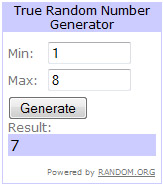
Thanks so much for the posts on Sunday’s Sneak Peek blog posting.  I let Random.org choose a winner:

Congrats, Candi!  I’ll be in contact with you later today to discuss your free kit!  🙂

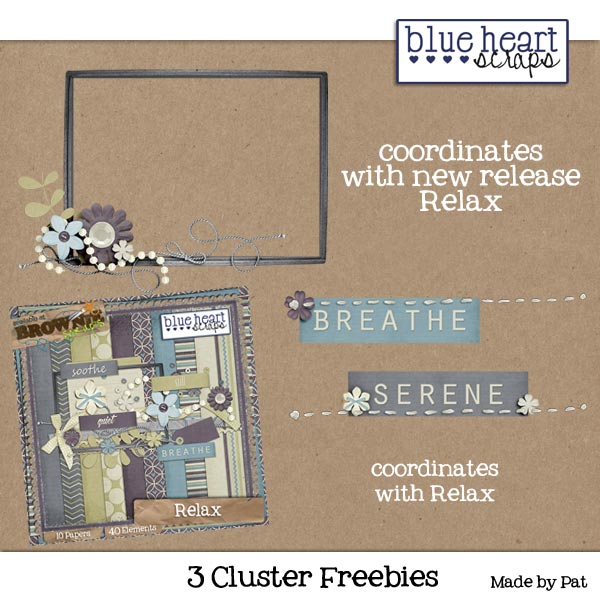
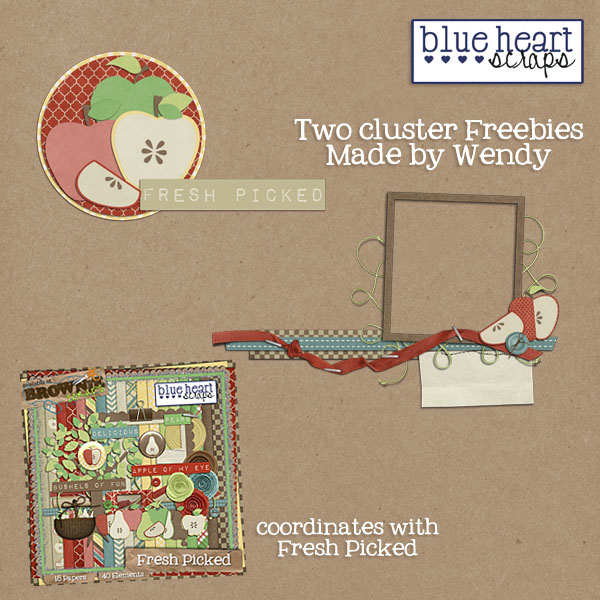
And last but not least, I have a beautiful set of cluster freebies made by the ever talented Wendy (or WendyBird Designs)

Download Here

Sneak Peek Sunday!

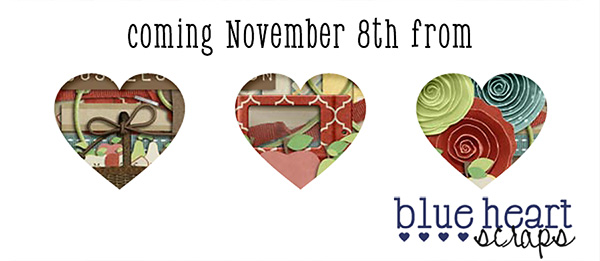
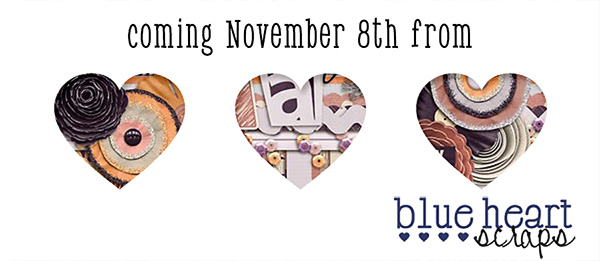
Hey everyone!! Did you all have a great DSD? I was super busy, but I sure did anyway! By the way, did you pick up the cute paper stack freebie JoyLynn has for you here? If not, be sure to grab those here at the blog! Back to the sneak! Today, I’ve got 2 kit sneaks to show you, and they are both awesome!! These gorgeous kits will both be releasing on November 8th!

This second kit is a collab with Sanko Studios, and you are going to love it too!

Would you like to win one of these kits? Be sure to leave a comment
below for a chance to win. Make sure you leave your email address here so if you win, we can contact you. Your comment will earn you 1 entry into the drawing. You can earn extra entries by making a post to your Facebook, Twitter or Blog. Simply leave a separate comment, with corresponding links, for each entry. You have until Monday at midnight CST to post your comment. JoyLynn will be back on Tuesday to announce the winner and show off her new kits!

DSD Saturday Freebies!

Hope your weekend is starting off beautifully!  🙂
Be sure to keep an eye out on my Facebook Fan Page today as I’ll be sharing a few coupons throughout the day.

But in the mean time, why not enjoy two new freebies!  These coordinate with this week’s new release, Showing Thanks,
available exclusively at Polka Dot Plum for the month of November!  🙂

Hope you enjoy them!!!

Download the Clusters

Download the QP

DSD Grab Bag, Sale, Freebie & Chance To Win!

Welcome to DSD Weekend!  This is my first, from the designer side of the equation, and I must admit I’m rather excited.  There are always such beautiful new releases, tons of freebies, chances to win great products – and the sales?  Phenomenal!  🙂

Not only will my Brownie Scraps store be on sale for 33% off all weekend (as well as the rest of the Brownie Scraps store), but I have an extra special DSD Grab Bag available all weekend long for just $4!

Filled with 5 Brand New Products – a $12 value! – this grab bag will only be available through Sunday night…so don’t miss out!

A few layouts made with the grab bag goodies:

Plus! Every item you purchase in my store this weekend will enter you in a contest to win a $20 coupon to my store!

So a sale, an exclusive grab bag and a chance to win? What more could you ask for!

What’s that you say? A Freebie? Ok!  🙂  Here’s a special freebie that coordinates with my DSD Grab Bag
(freebie will only be available for download this weekend!)

Download Here

And don’t miss out on the fun throughout the rest of the Brownie Scraps store and forum!

Guest Store, New Releases and Freebies, Oh My!

Happy November 1st!  Lots of exciting news to share today.  First up, I’m thrilled to announce I’ll be guesting at Polka Dot Plum for the month of November.  The ladies there are super sweet, and have you seen the amazing goodies packed into their store?  (If not, go, run, look and buy!)  In honor of my guest store opening there today, I’ve got my entire guest store on sale for 30% off.   That means it’s a great time to pick up some great kits – including my new kit, exclusive to Polka Dot Plum this month, Showing Thanks:

It’s the perfect time of year to show the world, and your friends and family, all that you’re thankful for. And Showing Thanks is the perfect kit to showcase those people, places, possessions and precious moments.

Check out the gorgeous layouts created by my creative team gals and some of the talented ladies at Polka Dot Plum:

Beautiful, right?  They sure are an incredibly talented bunch.  If those layouts don’t get your scrapping mojo going, I don’t know what will!  🙂

I also have a few mini kit releases at Brownie Scraps today (also available at Polka Dot Plum):

First up is Autumn Beauty.  Enjoy the beauty of fall leaves with this adorable mini kit:

Second is Modern Beauty.  Gorgeous, rich, vibrant colors just waiting for all your layout needs:

I’ve got a lovely freebie for you today, created by incredibly talented CT Member, Crystal.
It’s a beautiful hybrid printable card that matches my November Polka Dot Plum exclusive kit, Showing Thanks.  You can download the printable card below:

Download Here

What’s even better?  I have a second freebie for you, available on my Facebook Fan Page.
It’s another gorgeous printable hybrid card using Showing Thanks, this time created by my CT Member, Kim.

“Like” My Facebook Fan Page to Download

Shadow Tutorial & Freebie Shadow Styles!

Hello scrappers!! Kelley here to start out the week with a shadowing tutorial for you as well as a set of freebie shadow styles! The tutorial covers how to add dimension to your ellies like ribbons or strings. The freebie shadow style set includes 2 sets of styles – 1 for light papers and 1 for dark. I hope you enjoy!


You can DL the freebie shadow styles set by clicking here.  🙂

Sooo, lets get started with the tutorial!

The first thing I always do when I shadow is place my item, then either click on the shadow style that I want to apply, or click on the fx button to apply a new shadow.  Using these styles, you’ll just click on the style’s button in your style palette.  For example, if you are placing a button on a light background paper, you’ll click on the button basic shadow style.  Once you apply a style, you can always edit that shadow to your liking selecting the layer you want to edit on your layers palette and then clicking the fx button and then drop shadow.  Just pull the sliders to adjust to your liking as usual.  That is the basics of shadowing – pretty simple.  If you aren’t sure how to do all that, don’t worry – I’m going to go over those steps in the tutorial below too.  🙂  For this tutorial, I wanted to show you a couple of things you can do to really make your elements appear 3 dimensional.  This works well for ribbons, strings – things with lots of loops, but you can also use it for flowers and other “puffy” items.  You can use the freebie shadows as is, or you can use the tutorial below to learn how to adjust your shadows exactly how you’d like them, and to add extra dimension.


First, just go ahead and place a ribbon onto your paper.  You can also use a string if you’d like.

The next thing you’ll do is make sure you have that layer selected in your layers palette (see previous picture).  Then you can do 1 of 2 things – either select a style to apply to your element or click on fx – drop shadow.  In this case, I’d choose the ribbon basic shadow style for light paper.  If  you want to further adjust, click the fx -drop shadow option, and this window pops up.  There are several things going on here.  First you have the blend mode.  I always use linear burn.  I find it gives a more intense shadow, and it also picks up the color of whatever is underneath the item so it looks a bit more realistic.  A lot of people also use multiply, so feel free to try out other ones if you’d like.  Then is your opacity.  This basically lightens or darkens your shadow.  I keep it in the middle until I’ve got my other settings adjusted, then slide it to get the shadow just right.  The distance slider is where you adjust how far away your item/element is going to appear to be from the page.  A good rule of thumb here is that items on the bottom of the stack will have less distance because they are closer to the paper.  You can create all kinds of different looks by adjusting this.  If you want your page to look really paper scrapped, a short, clean distance works well.  If you want everything really dreamy and floaty, adjust the slider further to the right.  With the styles I’ve made here, you won’t have to mess with any of this if you don’t want to  – I’ve given you the basic shadows I use.  Then if you want to adjust, you can do so.  Okay, the last thing I mess with is the size slider which gives you a more crisp shadow if it is to the left, and a more blurry shadow to the right.   When you’ve got it how you want it, click ok.

Okay, now we are going to start adding dimension to our ribbon.  I have my ribbon selected in my layers palette.  Now, right under the layer where it says drop shadow, I right click.  Go almost to the bottom of the list of choices and select “create layer.”   This gives us a separate layer with our shadow on it.

Now, select your shadow layer.  You will then go over to your toolbar and choose the smudge tool.  I’ve marked where the  smudge tool is located in the picture below.  You’ll want to play around with your brush size to get the look you want, but I usually use around a size 300 soft brush.  You can change the brush at the top of the screen in the options listed.  Then, just take your smudge tool and push the shadow around in parts where you want it to appear that the ribbon is coming up off the paper.  In the pic below, I did the ends of the ribbons.  You can do as much or as little as you want.  The key with the smudge tool is to do small bits at a time, slowly.  Every smudge is not going to look like you want, so then you can do a quick undo when needed.  Just keep on smudging until your shadow looks good.

You can stop here, or you can keep going and add even more interest to your shadow.  At this point, the shadow looks pretty darn good.  But I want it to look even prettier.  So, with my shadow layer selected, I hit ctrl J to duplicate the layer (or you can right click and select duplicate from the menu).  Then I select my new layer, and I adjust the opacity to about 50ish%.  Then select the move tool (arrow), and use your arrow keys to click over 4 or 5 pixels to the right and then 4 or 5 down. If you aren’t using these shadow styles, your shadow may be going in a different direction, and then you’d just move your duplicate shadow layer over in the direct your shadow is going.  I Just find doing this gives my ribbon a bit more umph.  You want to adjust your opacity till it is pretty light, but still there.  And that is it!  Now your ribbon looks like it is popping up off the page 🙂

One more thing I want to show you is the same thing done on dark paper.  The only difference here is that my shadow is just set at a lower opacity.  For this I just chose the ribbon basic shadow dark paper style, then followed the steps above.

Well, that’s it for today’s tutorial!  I hope it was helpful!  Please leave a comment letting us know what other things you’d like to see tutorials for in the future.  Also, if you make a page using the provided shadows or this tutorial, please show us your page on the Blue Heart Scraps FB page!

Thanks!!

Layout Spotlight!

Oh, I am so late at posting this weeks layout spotlights. I want to show you some layouts/hybrids from the gallery that were created with Super Spooky and Super Spooky Bytes.


Do you want to have a chance to have your layout spotlighted on the blog? All you have to do is post your layouts to Blue Heart Scraps Gallery or leave a link here using any of her products. You never know when you’ll be spotlighted.


Sneak Peek Sunday!

Good morning everyone!  Kelley here!  I’m so excited to be able to show you the sneak peek for JoyLynn’s newest kit, coming out exclusively at Polka Dot Plum November 1st! JoyLynn is guesting at the Plum during the month of November, so be sure to pop over there and check out her store and say hi. Anyway, back to the sneak peek! We are heading straight into the holiday season, and this kit is so perfect for it! Just look at the lovely colors!

Doesn’t it look amazing!!?! Would you like to win this kit? Be sure to leave a comment
below for a chance to win. Make sure you leave your email address here so if you win, we can contact you. Your comment will earn you 1 entry into the drawing. You can earn extra entries by making a post to your Facebook, Twitter or Blog. Simply leave a separate comment, with corresponding links, for each entry. You have until Monday at midnight CST to post your comment. JoyLynn will be back on Tuesday to announce the winner and show off her new kit!